
New Feature
Online Proofreading
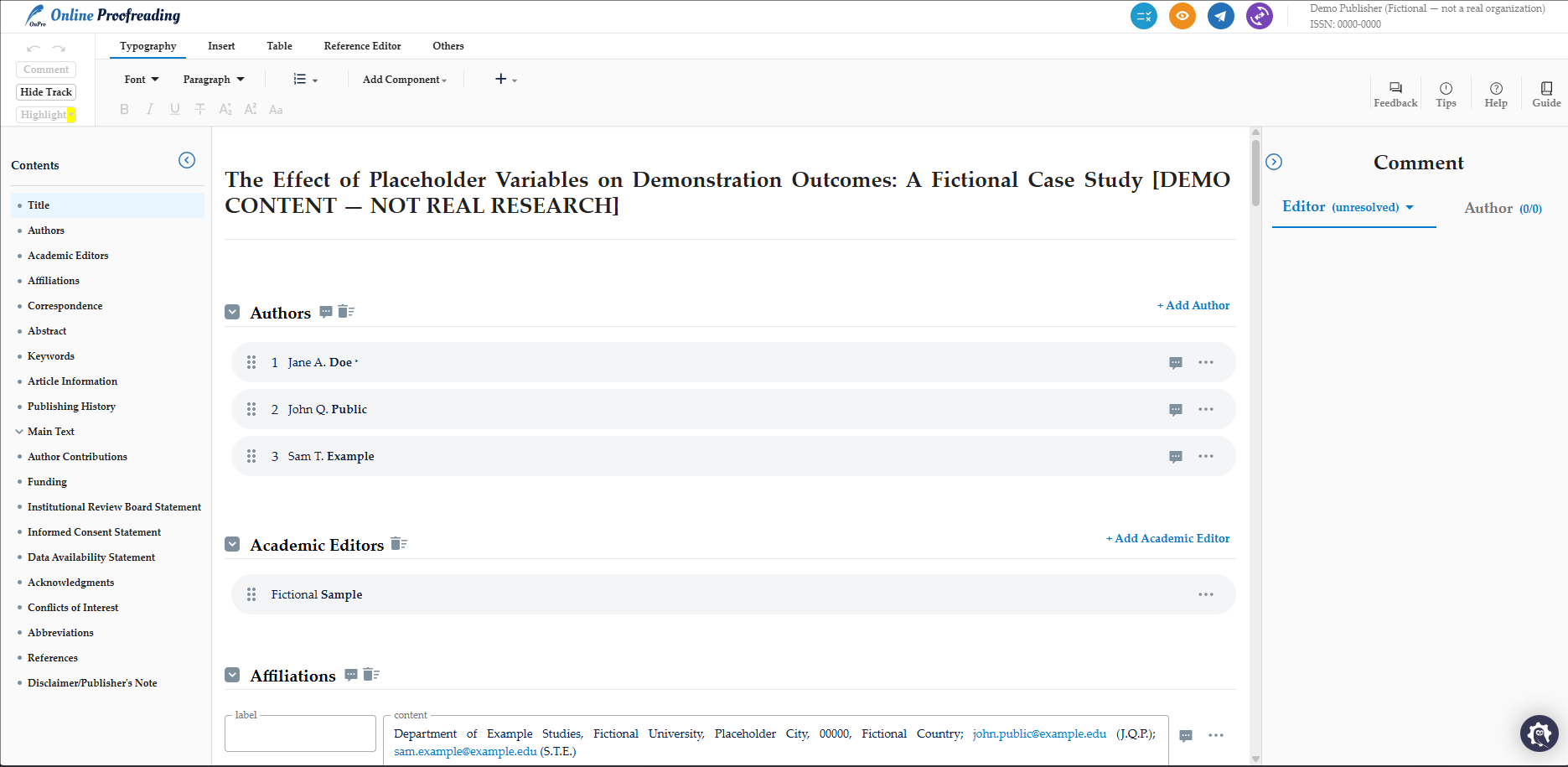
JAMS now supports in-app author and editor proofreading. Online Proofreading provides authors with an easy way to proofread their work online and collaborate on a manuscript with editors. Both authors and editors can therefore stay aligned throughout the proofreading stage, making it simpler to manage revisions and respond to feedback.
Important: Online Proofreading is only available if the user has opted into JAMS Production Services. To discuss our Production Services, please reach out to support@jams.pub.
Key Functions:
-
JAMS Production Staff will provide the XML file to begin the proofreading online.
-
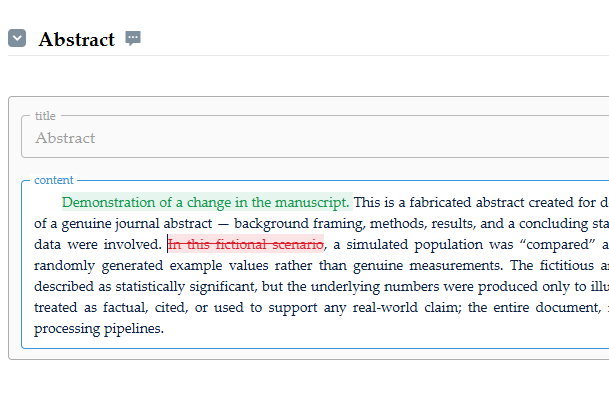
Editors and authors can make visible and tracked changes to the manuscript.
-
Editors and authors can write comments to each other and see responses.
-
Supports multiple rounds of proofreading.
-
Includes the option for the system to proofread the article.
-
Navigate the manuscript easily and preview the final result.
Knowledge Base
Enhancements
Update Manuscript ID Prefix
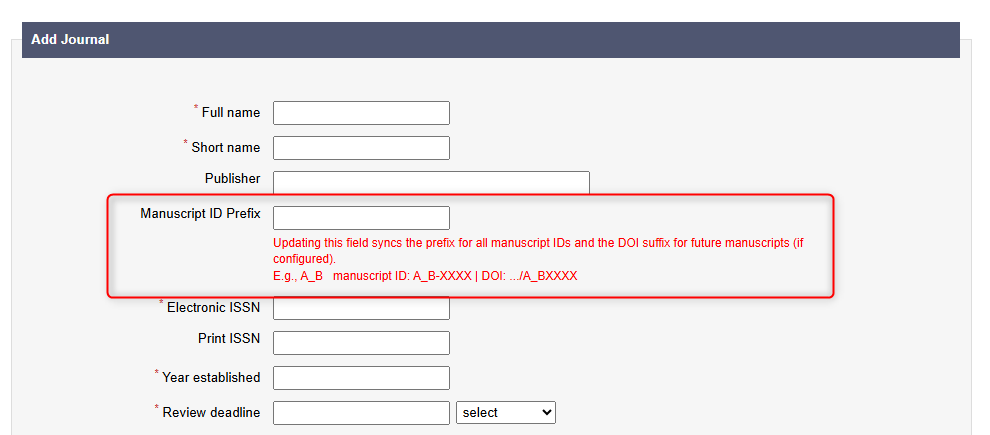
Users can now update their journal’s manuscript ID prefix. This is the unique journal’s identifier for each manuscript that is formatted like this ‘abc-123’. It helps editors quickly identify and find the manuscript and journal without having to memorise titles.
Users can now edit the Manuscript ID prefix in the Journal Settings. The user can locate the journal they’d like to edit and click the pencil icon. This will then update the manuscript ID prefixes for that journal and future DOI strings.
Knowledge Base
Changing a Journal’s Manuscript ID
Bug fixes
-
A bug preventing editors from uploading author rebuttals has been fixed.
-
A bug preventing authors from uploading comments replying to Academic Editors has been fixed.