
New Features
Duration Alerts
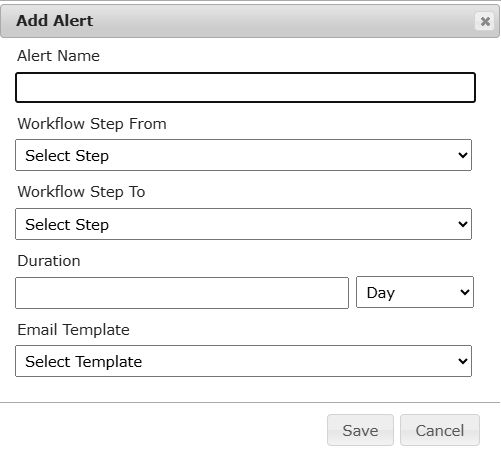
JAMS now supports configurable Duration Alerts to be sent to users when a stage of the manuscript process has foregone a deadline. Super Users can now locate and configure these settings in the ‘Super User’ menu.
Key Functions:
-
Found in Super User Menu under ‘Duration Alerts’
-
Choose from steps in the manuscript process where you would like to add a deadline
-
Choose the duration of time you would like your team to have before being alerted of the delay
-
Configure your own email template in ‘Email Templates’ to send to target recipients.
-
Name, edit, save and delete your alerts
Knowledge Base
https://support.jams.pub/article/63-duration-alerts
Enhancements
Reviewer Finder
Following the release of our AI Reviewer Finder, we have made several improvements to the usability and workflows.
Key Changes:
-
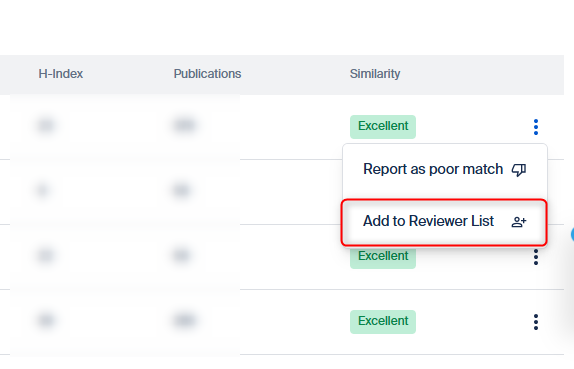
Full Integration: Now add a recommended scholar back to the list of reviewers on the manuscript page in JAMS.
-
Invitation History: If the scholar has been invited by the Publisher or Journal before, it will show on the Reviewer Finder.
-
Additional Scholar Information: Now shows the scholars' affiliations and countries.
-
Enhanced Filters: Filter scholars by country as well as H-index and Number of Publications.
Knowledge Base
https://support.jams.pub/article/82-recommendations-from-the-reviewer-finder
Bug fixes
-
A bug preventing Journal Editors from filtering by Handling Editor when switching manuscript progress tabs has been fixed.
-
A bug preventing authors from clicking ‘Back’ on Step 3 of Manuscript Submissions has been fixed.
-
A bug on the AI Reviewer Finder showing Reviewers marked as a ‘Poor’ or ‘Good’ match as an ‘Excellent match’ on the table view has been fixed.